Open the folder, right-click an empty space and choose Open in Terminal.
Type bash install.sh and press Enter.
On a new laptop this installs the app. On a laptop that already has it, this updates it and keeps children's progress, the teacher PIN and the laptop's settings.
What is in this version
37 levels in the first three themes (Greetings and Introductions, Classroom Language, Simple Requests and Responses), for Class 4–5, 6–7 and 8–10
Four speaking games and a conversation with Buddy
“You said: …” after every try, with wrong words in red and nearly-right words in amber
Four screen designs to try with children, chosen in a first-time tour in Kannada
For teachers: progress for each child and class, a laptop check, and “Report a problem”
Signed automatic updates are built in. They stay off until the update service is set up, and reach only laptops that sometimes get internet. Do yours?
Each child chooses a design in the first-time tour. The tour and the help are in Kannada.
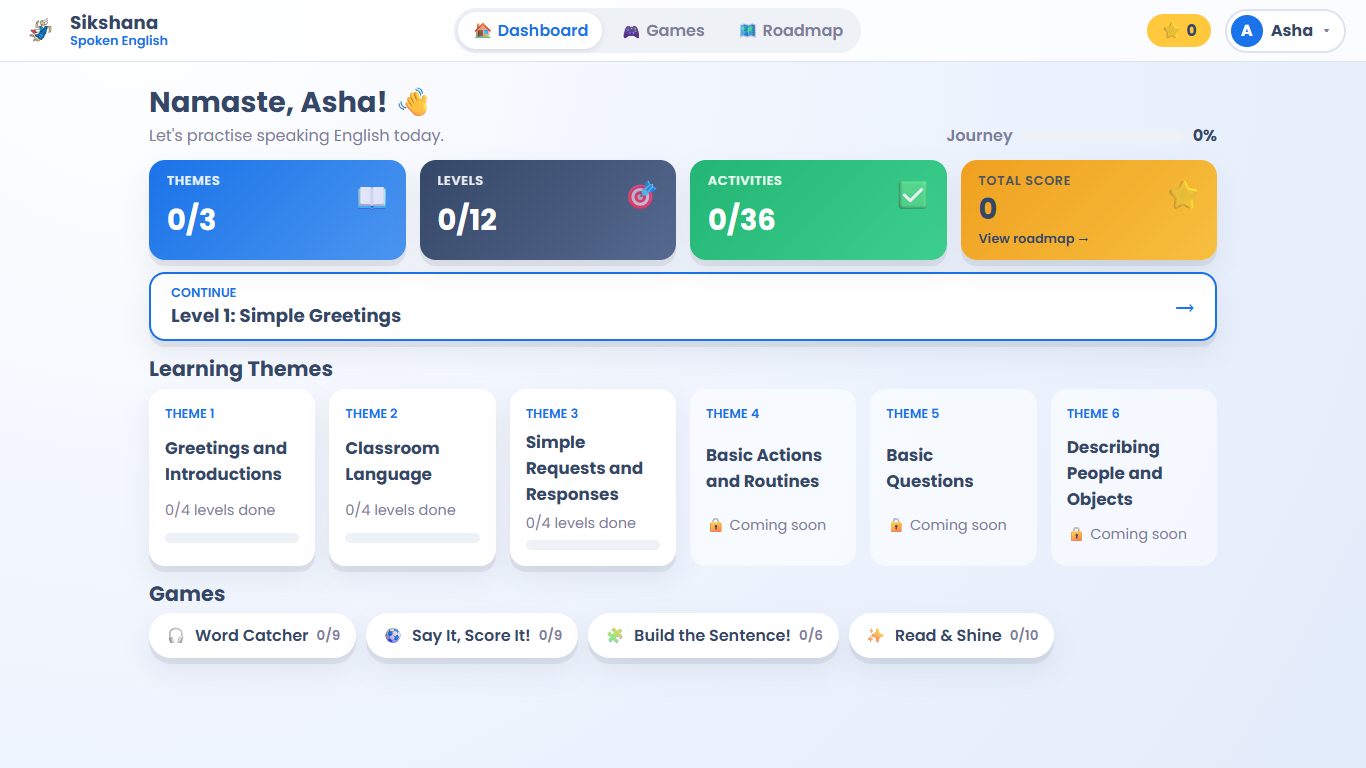
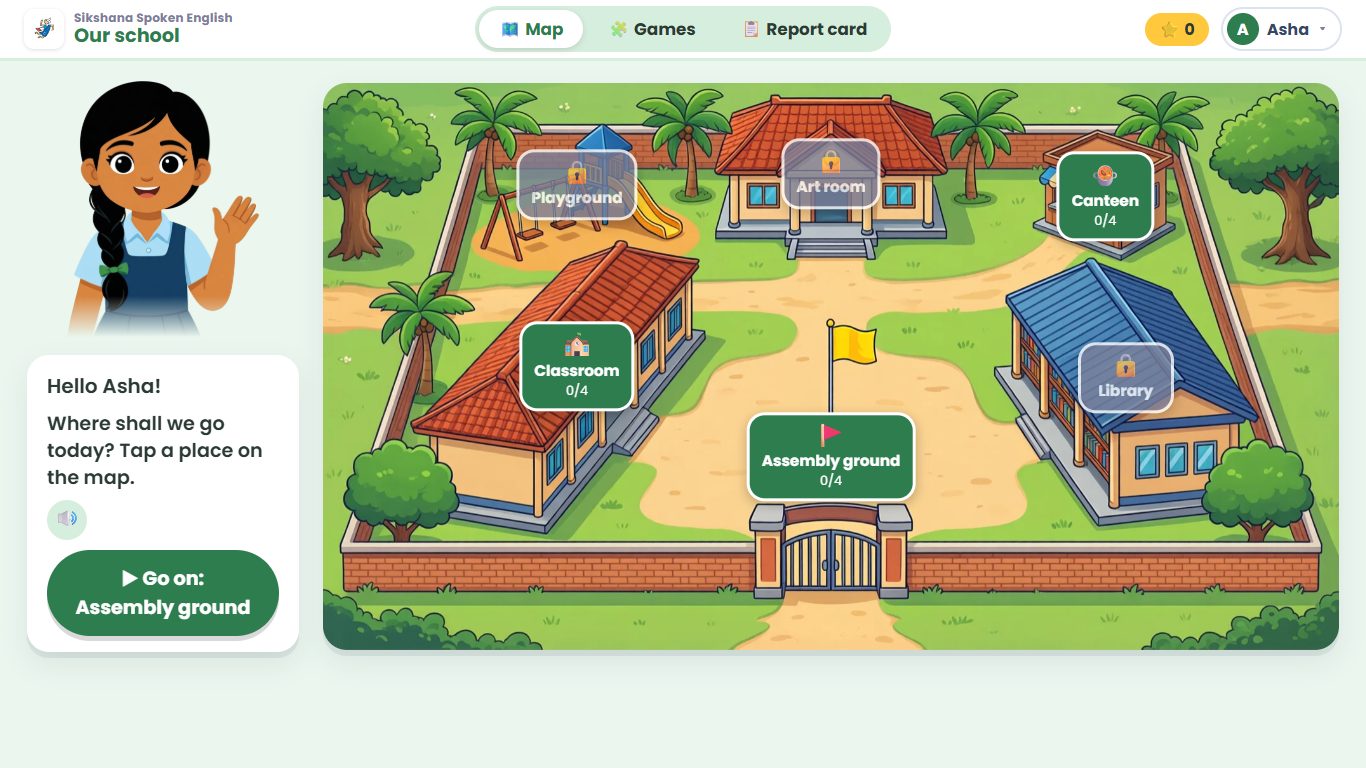
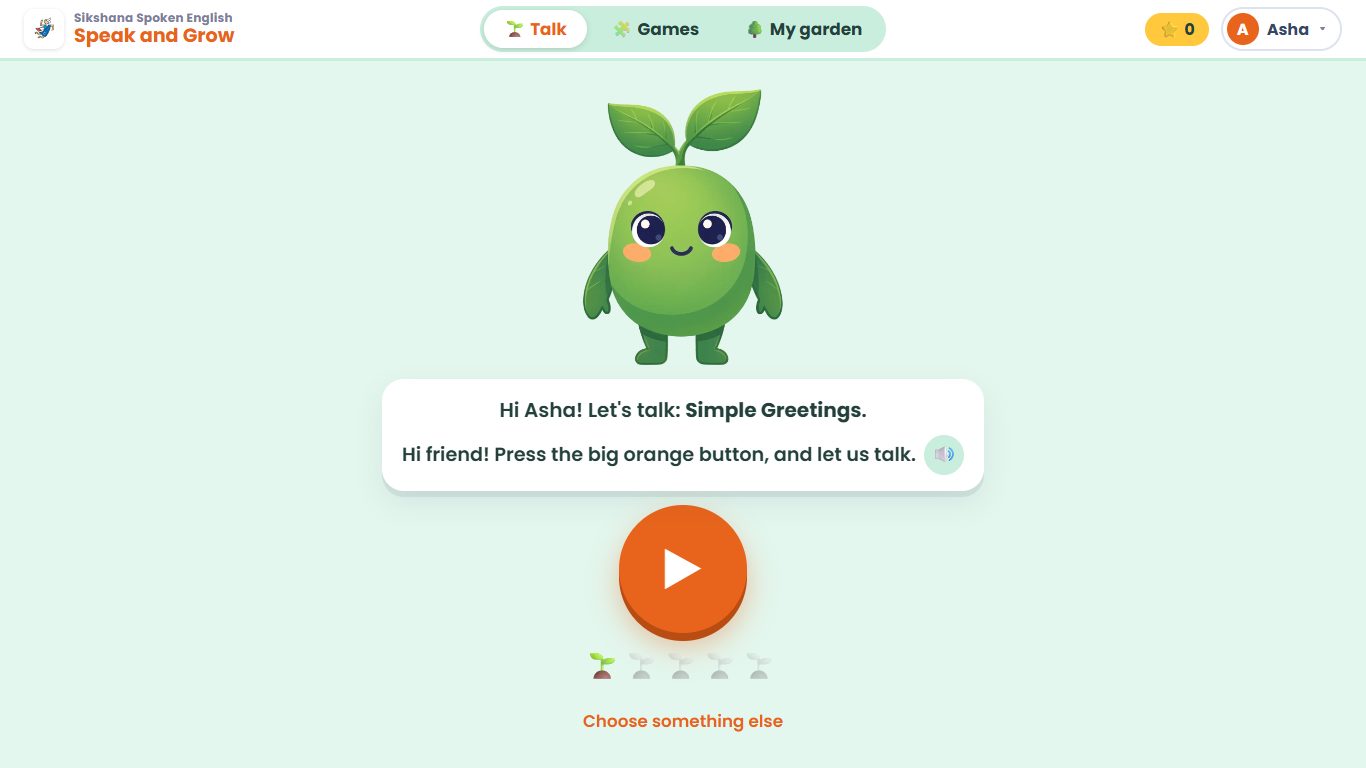
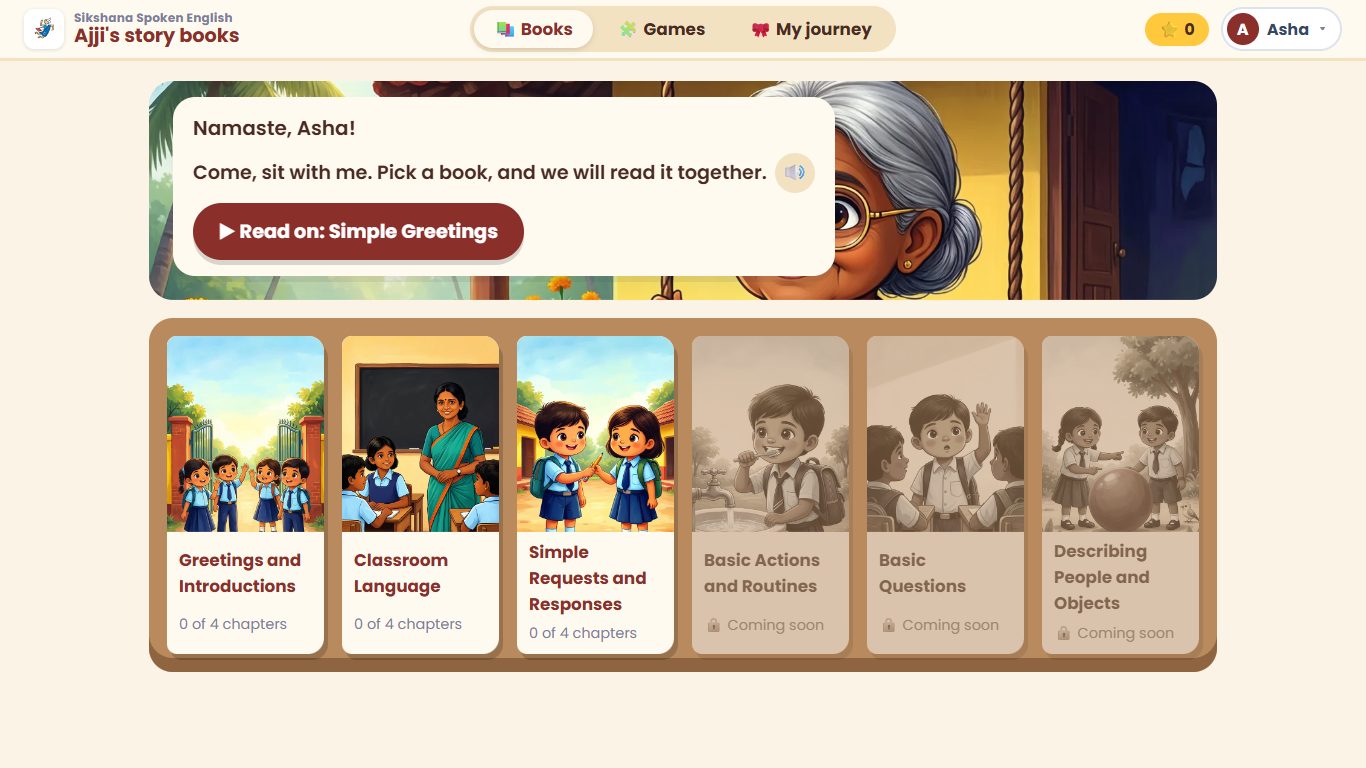
Standard: themes, levels and games, with progress at the topAjji's story books: each theme is a book that Ajji reads with the childOur school: Meena guides the child around places in a schoolSpeak and Grow: role-plays that grow a garden
All voices are generated by open-source models. They are not final: Sikshana chooses the voice on the review page, and we record everything again in that voice.
“Welcome to our class.”
Lesson sentence · English
ನಮ್ಮ ತರಗತಿಗೆ ಸ್ವಾಗತ.
Its meaning · Kannada
“Hello! Good morning.”
Role-play · the teacher
“Thank you sir. I am happy to be here.”
Role-play · Uma
“Come, sit with me. Pick a book, and we will read it together.”
Ajji's guide · English
ಬನ್ನಿ, ನನ್ನ ಪಕ್ಕ ಕುಳಿತುಕೊಳ್ಳಿ…
Ajji's guide · Kannada
“Are you new to our school?”
Buddy's voice
“Can you tell me one more thing about yourself?”
Buddy's voice
On the review page, your team chooses the one female voice for every recording, then marks each of the 1,956 recordings “Sounds right” or “Needs fixing”. It opens on any computer or phone. Each reviewer types their name at the top; there is no sign-in, and marks are saved as they go.
Our own machine check flagged 34 recordings; please listen to those first. A spreadsheet of all recordings is also available.
Progress so far
Loading…
The Kannada text in the app (the first-time tour, Settings and the spoken guide) also needs a check by a native Kannada speaker before children see it.
Version 2026.11.03 on Sikshana's T14s (Core i7, 16 GB, Linux Mint 22.3), 3 November 2026. All 8,531 files match the package, and the test children's progress and settings were kept.
1.3–1.6 s
to check what a child said
per sentence
6 of 6
correct sentences graded “great”
a wrong one got “try again”
≈ 1 s
for each Buddy reply
the first reply takes 7.6 s while it warms up
2.4 s
to say a new 13-word sentence in Buddy's voice
544 common sentences play at once
Also checked
All four designs, the pictures and all 37 levels load
Lesson, game and guide audio plays at once (recorded in advance)
Four updates on the T14s since 1 November kept progress and settings every time
Problem reports from the T14s reached us
Not tested yet
Real children's voices. So far, only recorded and computer voices. This is the main aim of the first classroom trial: which schools, when, and will the children have headsets?
A noisy classroom. In our noise test, 22% of correct answers got “try again”; a headset helps a lot.
The T480s, T490 and i3 laptops, which may be slower.
Every model runs on the laptop, with no internet, and has an open licence.
Part
Model
Licence
Why this one
Checking what a child said
OpenAI Whisper base.en
MIT
Accepted 40 of 40 right lines and rejected 40 of 40 wrong ones in our benchmark
Buddy, the conversation partner
Qwen2.5 1.5B, run by llama.cpp
Apache-2.0, MIT
As good as models 2–5 times larger in our tests, and the only one fast enough on the laptops
Buddy's voice
Kokoro
Apache-2.0
A clear female voice with an Indian accent
Lesson, game and story recordings
AI4Bharat Indic Parler-TTS
Apache-2.0
English and Kannada voices, recorded in advance at a learner's pace
✓ Done
Offline app: lessons, speech check and Buddy
Themes 1–3: 37 levels for three class groups
Four screen designs and a Kannada first-time tour
One package that installs and updates, with no internet or admin password
Installed and tested on your T14s (1–3 Nov)
“Report a problem” reaches A2Z when online
Signed automatic updates built (off for now)
Public audio review page
◐ In progress
Choosing the voice and reviewing the audio needs Sikshana
Checking the Kannada text needs Sikshana
○ Next
Record all audio again in the chosen voice and fix marked recordings
Themes 4–6 (Basic Actions and Routines, Basic Questions, Describing People and Objects) content from Sikshana, or our draft
Switch on automatic updates
First classroom trial with children schools from Sikshana
Test on the T480s, T490 and i3 laptops
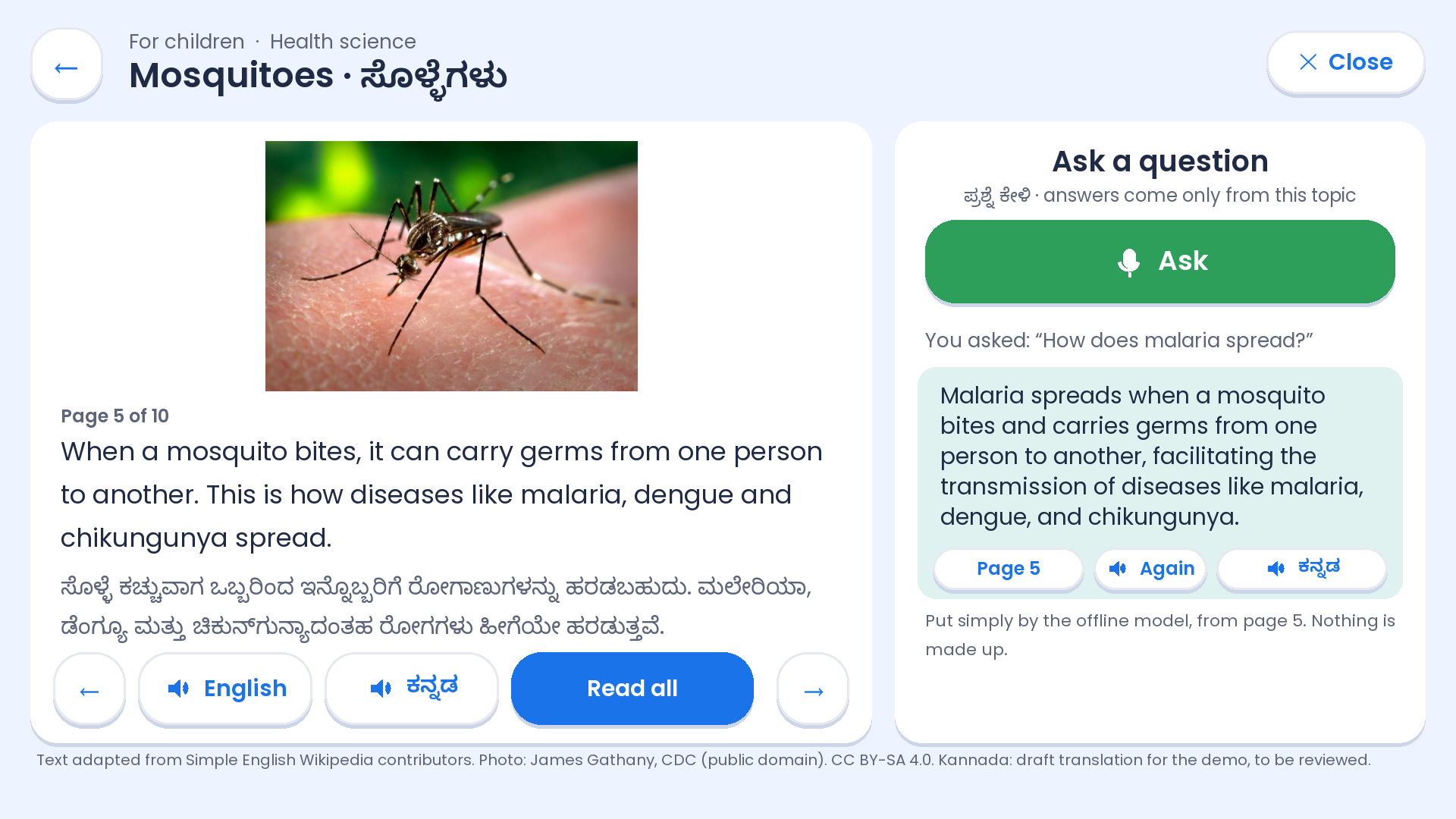
A child or an Anganwadi worker listens to a lesson in English or Kannada, asks a question out loud, and hears an answer taken only from that lesson. It works offline, on the same laptops as Spoken English and on a Raspberry Pi.
What the demo used
Sikshana's own content is not public, so the demo used open material instead: 22 Pratham Books StoryWeaver stories with their Kannada translations (CC BY 4.0), and lessons adapted from Simple English Wikipedia.
Sikshanapedia lessons, at least 10–20 to start, across age groups and subjects: the text in English and Kannada (Word, PDF or a spreadsheet), the pictures, and your own recordings where they exist
A week of Shishu Vikasana audio packs, with their text if you have it
How the content is organised: age groups or classes, subjects, chapters, and the curriculum it follows
Permission to use it on Sikshana's devices
A reviewer for each lesson and its Kannada
Any questions children and workers really ask, to link common questions to the right page
✓ Done
Ask-by-voice demo, offline, in English and Kannada
612 story pages recorded for the demo
⏳ Waiting
The knowledge-base package from Sikshana
○ Next
Load 10–20 real Sikshana lessons
Add questions asked in Kannada
Two-week pilot: 2 schools and 3 Anganwadis, on laptops already there, plus one Raspberry Pi
KEONICS gave A2Z one KEO AI PC on 30 October to find out what it can do for students. Sikshana Labs is one platform for the KEO in which every AI model comes as a pack. A student or teacher downloads a pack once, or copies it from a USB stick, and then uses it offline. New packs can be added at any time without changing the rest. This is a proposal for discussion with Sikshana, not a decided plan.
The platform
One Sikshana Labs app on the KEO lists the packs, shows what each one needs, and installs, checks, opens and updates them, so every pack is plug and play.
What a pack is
One signed file with an AI model and the small tool that uses it, 5–10 activity cards in Kannada and English, sample photos and teacher notes. Its label lists its size, licence, the space it needs, and which features work offline.
How packs reach a KEO
Downloaded once when there is internet, or copied from a USB stick or memory card at the cluster resource centre. After that, the pack works with no internet.
Built so far: Sikshana Labs Beta, with Leaf Lab, Tree Census and Movement Lab running offline on the KEO (from a terminal for now). On test photos, Leaf Lab tells healthy from diseased leaves correctly 89% of the time and names the exact problem 46% of the time; it is a learning aid, not a diagnosis.
1. Licensing
Open-source models only.
2. Computation
A pack uses less than 60% of the KEO's processor, so the computer stays usable.
3. Connectivity
Smaller models work offline; larger models are reached online, when there is internet.
4. Deployment
Small downloads, and packs shared by USB.
5. Platform
One place where a student browses, checks and downloads packs, then plugs and plays.
6. Content
Priorities agreed with Sikshana. Each model needs a one-time port to the KEO's RISC-V processor, so we port only what is chosen.
The limits every pack must meet, based on what we measured on the KEO. The numbers are our proposal, to agree with Sikshana.
Area
Boundary
Why
Processor
At most 60% (about 2.4 of 4 cores) while the student uses the KEO. Heavier jobs run as batches with a progress bar.
Our photo-lab batch kept about 3.3 cores busy
Response time
Live answers within 3 seconds; anything slower runs as a batch
A speech check takes 4–7 s per sentence; a chat reply takes 98 s
Memory
At most 1.5 GB per pack
6.4 GB usable, shared with the KEO's own apps
Size
Under 100 MB for a lab pack, under 2 GB for a language pack, under 8 GB for all packs together
About 14 GB free as shipped; vision models are 5–55 MB
Where packs live
Only in the student's home folder
The maker's automatic update can overwrite anything outside it
Hardware
Every pack runs on the processor, with 8-bit models measured on a KEO; the NPU is optional
No 16-bit maths (16-bit Whisper took 88 s against 25 s at 8-bit); the NPU takes only the maker's compiled models
Speaking
Voice packs need a headset with a microphone
No built-in microphone; the headphone socket is not tested yet
Offline and online
The core of every pack works offline; online features only add depth
Internet is not always available
Licences
Open-source models and code; openly licensed content; no “non-commercial” licences
For example, Meta's MMS and NLLB models are excluded for this reason
Children's safety
No face recognition and no medical diagnosis; camera and microphone recordings off by default; nothing leaves the KEO without a teacher's approval; follows India's DPDP Act
The KEOs are used by children
Language and review
Kannada and English, reviewed by Sikshana before release
Content quality
Release rule
A pack ships only after it is measured on a KEO
Estimates on other computers proved too optimistic
4 cores
RISC-V processor at 1.8 GHz
no vector unit, no 16-bit maths
6.4 GB
usable memory, of 8 GB
about 14 GB of free storage as shipped
7.3 s
to check a 5.9-second sentence
Whisper tiny, 8-bit; about 4 s with Moonshine tiny
98 s+
for one chat reply
Qwen2.5 0.5B: live AI chat is not practical on the KEO
Test on the KEO (30 Oct – 2 Nov)
Result
What it means
Leaf Lab, 6 photos · Movement Lab, 3 photos
3 s each batch
Photo labs work well on the processor
Tree Census, one 400-pixel aerial tile
77 s, same 55 trees as on a laptop
Works as a batch job, not live
Built-in AI chip (NPU), vision models
MobileNet 2.8 ms, YOLOv8s about 51–56 ms per image
Fast, but only for models compiled by the maker; it needs admin rights, and it can hang until the power is switched off
Chat model writing speed
1.3–1.7 tokens per second
Too slow to talk; chat must be online, or answers recorded in advance
Classroom server: 30 devices download 17 MB each
7.7 s over a cable, about 1 core busy
The KEO can serve lessons to a room (Wi-Fi not tested yet)
20 minutes at full load
No slowdown, peak 54 °C
Safe for long sessions
Sikshana Labs Beta, run on the KEO with sample photos. Every result came from the KEO's own processor, offline. Each lab says how sure it is, so a class can talk about when a computer should not be trusted.
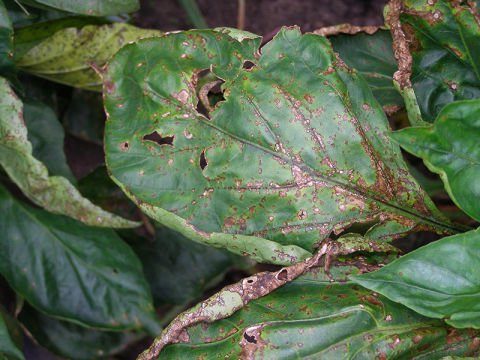
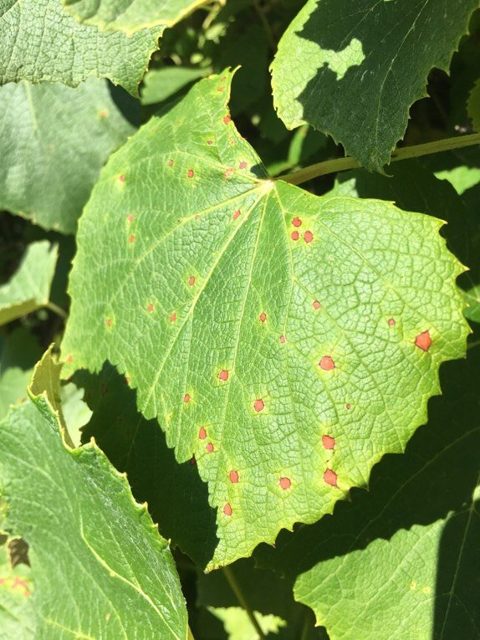
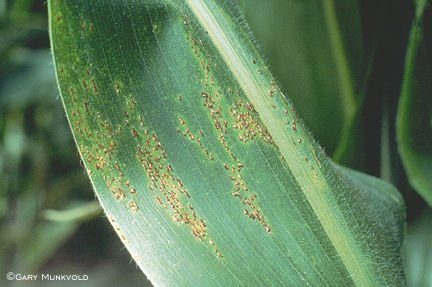
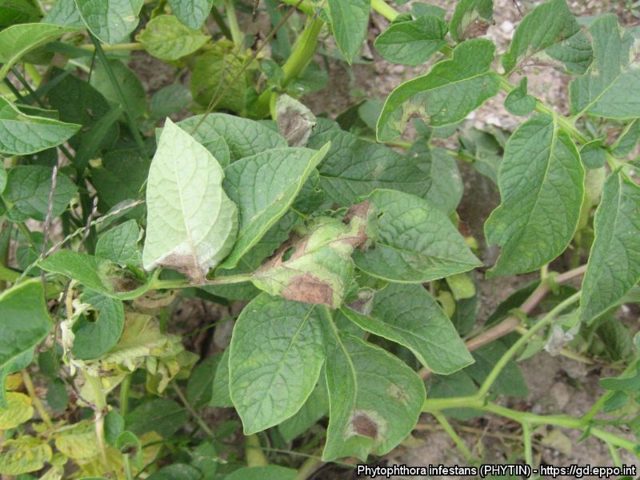
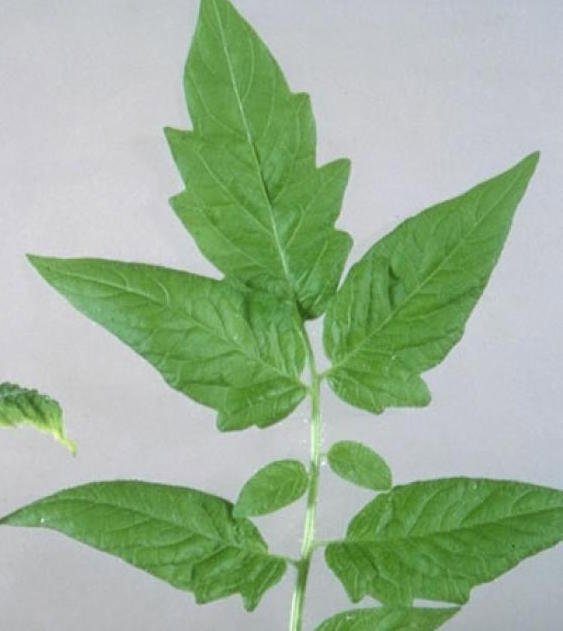
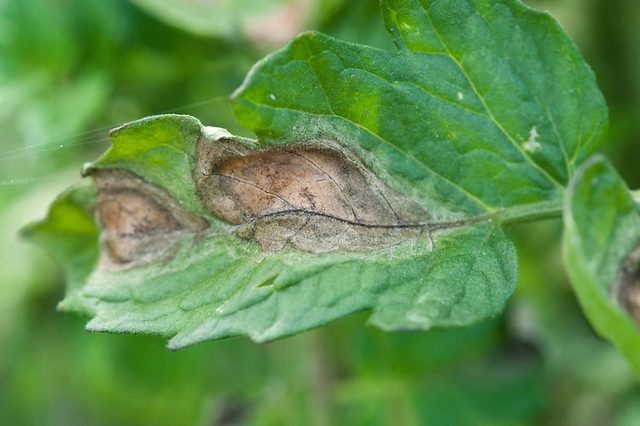
Leaf Lab: what is wrong with this leaf?
3 of 6 right. For the other 3 the lab said it was not sure, and its best guesses were wrong. It is a learning aid, not a diagnosis.
Capsicum: leaf spot ? Not sure (best guess Potato: late blight, 20%)Grape: black rot ? Not sure (best guess Raspberry: healthy, 26%)Maize: rust ✓ Maize: rust, 72% surePotato: early blight ? Not sure (best guess Soybean: healthy, 14%)Tomato: healthy ✓ Tomato: healthy, 50% sureTomato: late blight ✓ Tomato: late blight, 56% sure
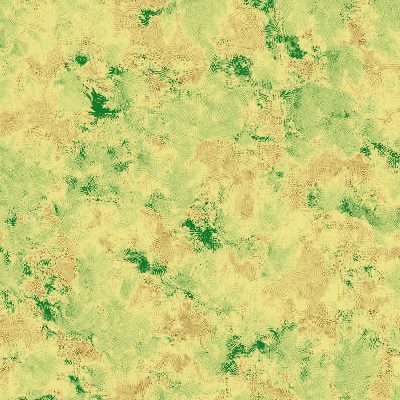
Tree Census: counting trees from the air
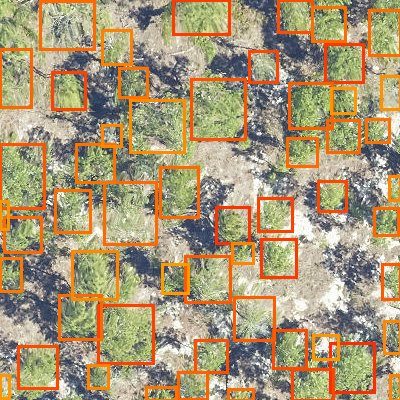
55 tree crowns found in one 400-pixel aerial photo, in 77 seconds on the KEO36% green cover in the same photo, marked in green
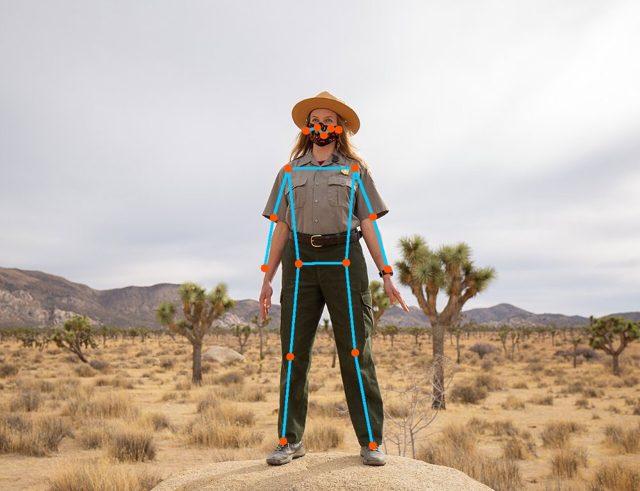
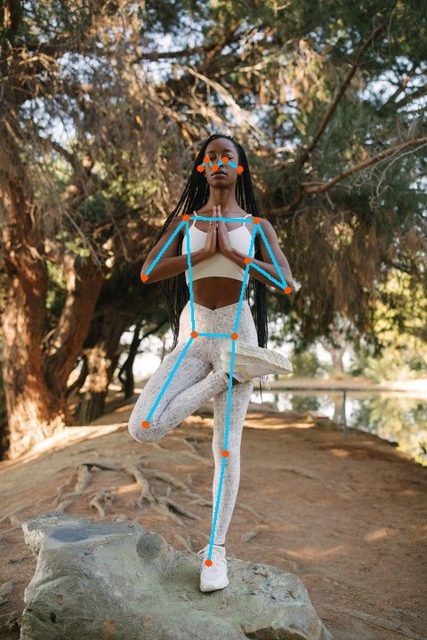
Movement Lab: body points and joint angles
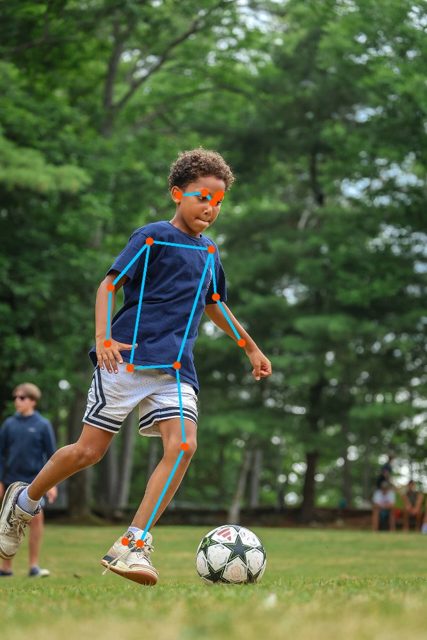
Standing 17 of 17 body points seen. Elbows 175° and 173°, knees 175° and 180°.Yoga, tree pose 15 of 17 points seen. Left elbow 30°, left knee 176°.Kicking a ball 16 of 17 points seen. Elbows 156° and 143°, left knee 150°.
The data: Leaf Lab · Tree Census · Movement Lab (spreadsheets).
Photos: PlantDoc dataset (CC BY 4.0); NEON aerial imagery via DeepForest; Wikimedia Commons (CC0 and US public domain). For a pilot, classes would use their own photos, which never leave the KEO.
Which of these matter most, and where will the KEOs be used: village libraries, residential schools, or both?
Packs (25 listed)
Nature and farming: Leaf Lab, Tree Census, Crop Stand, Germination, Plant Growth, Ripeness, Green Cover, Sticky Trap, Soil Jar
Water and surroundings: Water Level, Water Clarity, Drain Watch, Garbage Map, Plastic Sorter, Weather and Soil Station
Movement: Movement Lab, Motion Lab
Counting and measuring: Sound Lab, Colony Counter, Traffic Count, Meter Reader, IR Camera
AI basics: Teach a Model
Language: Spoken English, Story Keeper
Other uses
Offline library: Kannada Wikipedia and other content served to a room
Exam practice: mock tests, and scoring bubble sheets with the camera
Kannada typing and the Computer Literacy Test
Reading fluency, and scan-and-read-aloud for printed pages
Arduino and data projects, and learning how a RISC-V computer works
We will not build face attendance, health screening or learning-disability screening.
✓ Done
Measured speech, chat, vision, the NPU and serving on the KEO
Sikshana Labs Beta: Leaf Lab, Tree Census and Movement Lab run offline on the KEO (from a terminal for now)
◐ In progress
Sikshana Labs concept and boundary conditions for your review
○ Next
Agree the first 3–5 uses with Sikshana
Build the Sikshana Labs app and the first packs
Questions to KEONICS: NPU model converter, microphone input, adding packs through their updates

 4 designs ›
 The demo ›
 Lab results ›